
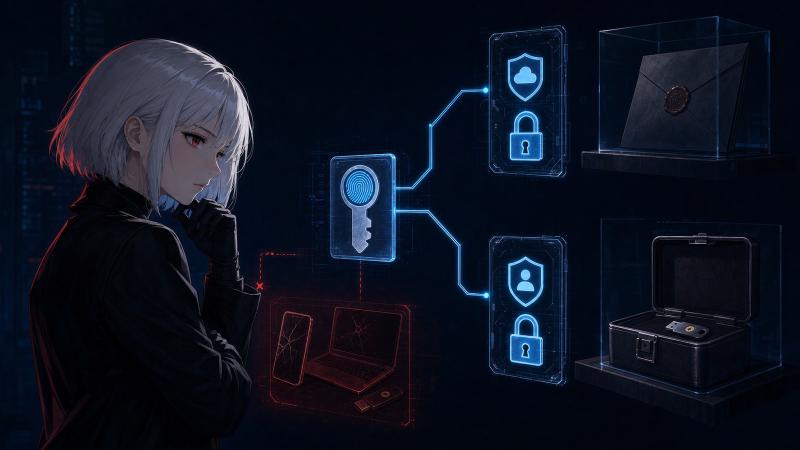
A note on funding: CypherpunkGuide carries no surveillance advertising — no ad networks, tracking pixels, or sponsored content. It is funded by transparent streams: reader donations now; subscription and editorially-aligned affiliate later. We answer to our readers, not to advertisers.
Passkeys are winning the ordinary login test. The FIDO Alliance’s 2025 Passkey Index reports a 93% sign-in success rate, compared with 63% for other methods, and an average login time of 8.5 seconds instead of 31.2. They are also resistant to phishing: a fake site cannot ask you to type a reusable passkey secret because there is no secret for you to type.
Recovery is the complication. A credential that is excellent during normal sign-in can still leave you dependent on the phone number, email account, cloud provider, trusted device, or paper code behind it. On August 1, 2026, I reviewed 25 official or primary documents across Google, Apple, Microsoft, GitHub, FIDO, and NIST, then applied one failure scenario to each ecosystem: your daily phone, computer, and carried hardware key are gone; only recovery assets stored elsewhere remain. The result was not one passkey-recovery process. It was a chain of two or three different recoveries, with different hard-lock conditions.
The useful question, then, is not simply whether passkeys are safer than SMS two-factor authentication (2FA, a second proof used after a password). They are safer against phishing. The useful question is whether you can recover the passkey provider and the account that accepted the passkey without circling back to the same lost device. This guide maps that dependency, corrects a Microsoft consumer-versus-enterprise mix-up already appearing in search results, and gives you a recovery-first migration drill. Do not remove your last working sign-in method while reading it.
Passkey Recovery Is Two Different Recoveries#
Passkey recovery means either restoring a credential from its provider or regaining the target account and registering a new one. Different companies control those operations, and success in one does not guarantee the other.
A passkey is a cryptographic credential for one website or app. The website keeps a public key; your device or credential manager keeps the private key. WebAuthn, the web standard used by passkeys, binds that key to the real website domain. NIST SP 800-63B-4 therefore treats properly configured WebAuthn as phishing-resistant while manually entered one-time codes are not.
Two actors sit behind that simple login:
- The credential provider stores or syncs the passkey. Apple Passwords with iCloud Keychain, Google Password Manager, Microsoft Password Manager, a third-party password manager, Windows Hello, and a hardware security key can all play this role.
- The relying party is the website that accepts the passkey. GitHub is a relying party. Google and Microsoft can be both provider and relying party when you store a passkey with them for their own account.
That role split is the first finding of this audit. Popular comparisons put Apple, Google, Microsoft, and GitHub in four equal columns. They are not equal columns: Apple is mainly a provider in this question; GitHub is mainly a relying party. The mismatch matters most after loss.
| Credential or path | Where the secret lives | Survives loss of one device? | If every device is gone | Main risk |
|---|---|---|---|---|
| Synced passkey | End-to-end encrypted credential manager | Usually, if another device is already signed in | Restore the provider account and satisfy its key-recovery check | Provider account becomes the recovery root |
| Device-bound passkey | One phone, computer, or hardware key | The passkey does not; account access may survive through another authenticator | Recover the target account by another path, then enroll a new passkey | Permanent credential loss |
| Recovery code | Paper or offline secure storage | Yes | Enter the one-use or long recovery code | Theft, loss, or storage beside the device |
| Email or phone recovery | Another account or carrier | Sometimes | Recover that channel first | Phishing, SIM swap, shared failure |
FIDO’s synced-passkey deployment paper is careful on this point: sync improves the chance of surviving device loss, but users can still lose access to the provider or fail its restore process. “Synced” means a protected copy exists. It does not mean the provider will always be able to hand it back to you.
What Happens If Every Daily Device Is Gone?#
If every daily device is gone, a synced passkey returns only through its credential provider, while a device-bound passkey is lost. The target account survives only if a recovery method stored elsewhere remains usable.
I applied that exact scenario to four ecosystems and recorded the evidence in the downloadable passkey recovery audit. The matrix is a documentation audit, not a staged lockout experiment: I did not remove authenticators from live accounts, and you should not either merely to reproduce it.
The recovery rows are limited to self-managed personal accounts. Administrator- or identity-provider-managed accounts—including Google Workspace, Managed Apple Accounts, GitHub Enterprise Managed Users, and Microsoft Entra identities—follow organization-specific policies outside this matrix. The Entra dates discussed later appear only to correct a consumer-versus-enterprise search-result mix-up.
| Ecosystem | Role in this audit | Synced-passkey restore | Documented provider/account recovery controls | Survives daily-device loss if… | Failure / hard-lock boundary |
|---|---|---|---|---|---|
| Google personal account | Provider and relying party | Google Password Manager through Google Account plus its PIN or an eligible previously used device | Provider / Google Account: recovery information; eligible accounts may add a recovery contact | At least one recovery channel or contact remains accessible independently of the lost hardware | The Password Manager PIN cannot be recovered and all passkeys in that collection are reset; target sites then need separate recovery |
| Apple personal account | Primarily provider | iCloud Keychain secure recovery through Apple Account controls | Provider / Apple Account: standard account recovery, an accepted recovery contact, or the optional recovery-key path | The trusted number is recoverable, or a pre-registered contact or 28-character key is available outside the lost devices | Recovery-key path enabled, but no trusted device, no 28-character key, and—where Advanced Data Protection permits both—no usable recovery contact |
| Microsoft personal account | Provider and relying party | Synced manager by signing into its provider; Windows Hello or a security key may be device-bound | Provider / Microsoft Account: alternate security information or a 25-digit recovery code | An alternate channel remains accessible or the 25-digit code was stored offline | Two-step verification enabled and no alternate method; Microsoft says support cannot bypass it |
| GitHub personal account | Primarily relying party | The passkey provider restores a synced credential; GitHub does not hold that private key | Target personal account: 16 one-use codes, another passkey/security key, SSH key, personal access token (PAT), or verified device | An offline code or separately stored authenticator survives; SSH, PAT, and verified-device paths count only if they survived and GitHub accepts them for recovery | No passkey and no accepted recovery method; GitHub Support cannot restore access |
The table exposes a second problem: “I use a passkey” does not tell you where it is stored. A Windows prompt may save one credential to Windows Hello on one machine and another to a synced password manager. A QR-code flow may use a phone only for that session or save the credential on it. Before planning recovery, open the passkey list at the website and the credential list in your provider. Record the provider and device, not just the website name.
The Four Recovery Paths, Platform by Platform#
These four ecosystems can all support safe passkeys, but their recovery paths differ. Storage location, provider-account recovery, and an off-device backup decide whether loss becomes lockout.
Google personal accounts: the Password Manager PIN matters#
Google Password Manager can sync passkeys across Android, Chrome, iPhone, and iPad. When a user first creates a passkey on a computer, iPhone, or iPad, Google may create a separate Password Manager PIN. Google’s PIN documentation says that PIN helps unlock passkeys on a new device and keeps the encrypted data unreadable to Google.
Adding a passkey to a personal Google Account does not automatically delete the existing password, recovery information, or other authentication factors. Google’s account-passkey guide also says a passkey can satisfy the second step during sign-in. Those facts belong together: one passkey sign-in may replace password-plus-code at login, while the older factors remain available for recovery unless you deliberately remove them.
The hard edge appears when the PIN is forgotten. Google says a user can reset it from a non-Android device where Google Password Manager passkeys were previously used. If every eligible device has been tried and the PIN still cannot be recovered, the documented fallback is Reset your passkeys. That action deletes all passkeys in Google Password Manager; it does not magically reissue them at each website. You must recover each relying-party account and create new credentials.
This is where I separated two rows that most summaries collapse. Google Account recovery can restore access to Gmail and the account itself through Google’s recovery process. Password Manager recovery restores the encrypted passkey collection. Recovering the account does not, by itself, prove you can decrypt that collection. For some 2-Step Verification lockouts, Google says review can take three to five business days in its troubleshooting guide. Google introduced Recovery Contacts for eligible personal accounts in 2025, but eligibility and rollout mean it should be treated as an optional extra, not a universal promise.
Apple personal accounts: iCloud Keychain recovery has conditions#
Apple designed iCloud Keychain to sync passwords and passkeys end to end, meaning Apple servers transfer encrypted records without holding readable copies. Its Platform Security guide explicitly says keychain recovery is intended to work even when all of a user’s devices are inaccessible. That is a stronger and more precise statement than “your passkeys are in iCloud.”
It is also conditional. Apple’s passkey-security page says an all-devices-lost recovery can require the Apple Account password, a text message to the registered phone number, and the device passcode. The encrypted-recovery escrow service allows 10 authentication attempts; after the tenth failure, the escrow record is destroyed. “Recoverable after every device is lost” is therefore a designed path, not an unlimited guarantee.
The recovery still rests on the Apple Account. Apple’s standard process can use account credentials, a trusted phone number, device passcodes, and time-based account recovery. An account recovery contact can provide a six-digit code, and Apple allows up to five contacts. The contact cannot read the account; they only help with identity recovery.
Apple also says account recovery can take several days or longer, and that Support cannot shorten the wait. Treat it as a last-resort path, not same-day emergency access.
The optional recovery key deserves a red warning label. Apple’s recovery-key documentation says the 28-character key turns off standard account recovery. With Advanced Data Protection, Apple allows a recovery key and recovery contact together and says either may regain access. If you no longer know the account password, have no trusted device, cannot provide the key, and have no usable configured contact, Apple says you can be locked out permanently. A recovery key is a sovereignty tool only if it is stored outside the account it protects. Putting it in Apple Notes, iCloud Drive, or the Passwords app creates a closed loop; Apple explicitly warns against those locations.
Apple Account security keys are a separate feature from iCloud Keychain passkeys. Apple requires at least two physical keys and allows up to six; its security-key guide warns that losing every trusted device and every registered key can permanently lock the account. A spare key helps only when it is registered, tested, and stored apart from the daily devices.
Microsoft: personal accounts are not the Entra retirement story#
Microsoft supports both synced and device-bound passkeys. Its consumer passkey guide defines a synced passkey as one restored through a credential manager and a device-bound passkey as one that is lost with the device unless another method exists. Microsoft Password Manager is rolling out for personal Edge profiles, while Windows Hello and physical security keys can remain local.
I checked the headline “Microsoft retires SMS in September 2026” against Microsoft’s source because it changes the advice. The September 1, 2026 rollout is an Entra ID tenant policy for organization-managed directories: users already enabled for SMS or voice are auto-enabled and nudged to register a passkey. Tenants can temporarily opt out until February 1, 2027, when Microsoft-provided Entra SMS and voice delivery retires. Microsoft separately says it is phasing out SMS codes for personal accounts, but that consumer page gives no September 2026 universal cutoff. Treating the two scopes as one would push consumer readers to remove a method on a false deadline.
Personal-account recovery has its own hard boundary. Microsoft says that if two-step verification is enabled and none of the alternate methods is accessible, support cannot help through the normal account-recovery form. Microsoft separately offers a 25-digit recovery code; its recovery-code guide says security changes under two-step verification can take 30 days. Generate and store the code before a crisis, not after the passkey device is gone.
GitHub personal accounts: many methods, no support override#
This section covers personal account owners who manage their own credentials; GitHub’s passkey documentation does not extend this recovery model to enterprise-managed accounts. For personal accounts, GitHub accepts a passkey as both the password and 2FA proof for a browser sign-in. Synced-passkey recovery belongs to Apple, Google, Microsoft, or whichever provider stored the private key; GitHub’s passkey-management page tells users to recover synced credentials through that provider. A device-bound security key does not become recoverable merely because GitHub still lists it.
GitHub is unusually explicit about the other side of the chain. I counted 16 one-use recovery codes in its recovery-method documentation, plus SSH keys, personal access tokens, and verified devices as possible proofs. GitHub warns that a method may be ineligible even if it was used before—for example, an inactive SSH key—so availability must be checked rather than assumed. A recovery request using an accepted verified device or SSH key can take up to three business days.
The final line matters for these personal accounts: GitHub says Support cannot restore a 2FA account if every credential and recovery method is gone. Its lost-credentials guide calls the loss permanent. Save the codes offline and register more than one method before making the passkey your daily login.
The Recovery Paradox: Strong Login, Weaker Fallback#
The recovery paradox is phishing-resistant sign-in backed by a weaker fallback. Attackers may target the email, phone, support process, or cloud account allowed to replace the passkey.
This does not make passkeys a mistake. It means the recovery system is part of authentication, not paperwork behind it. NIST’s recovery guidance treats account recovery as an authenticator-management event and requires recovery mechanisms appropriate to the account’s assurance level. A one-time recovery code is useful because it can be independent; it is not phishing-resistant if you type it into a fake site.
| Recovery path | Independent of lost devices? | Phishing-resistant? | Best use | Hardening move |
|---|---|---|---|---|
| Offline recovery code | Yes, if stored off-device | No | Emergency access | Paper or encrypted offline copy; never cloud-only |
| Second hardware key | Yes, if stored elsewhere | Yes | High-value accounts | Register two; test both; keep one offsite |
| Synced passkey in the same provider | Partly | Yes for login | Daily convenience and single-device loss | Harden provider recovery and keep an outside method |
| Recovery email | Only if it is a separate account | No by itself | Broad account recovery | Different provider, passkey, and independent recovery |
| Recovery phone / SMS | Only if phone service survives | No | Last-resort compatibility | Set an account PIN with the mobile carrier; reduce exposure using a phone-number threat model |
| Recovery contact | Yes, if the person and their device remain available | No by itself | Apple/eligible Google account restoration | Choose deliberately; rehearse contact and identity checks |
Portability is improving, but do not design around a future promise. FIDO published a Credential Exchange Format Proposed Standard in March 2026 for secure credential import and export. A standard on paper does not prove that your current providers can transfer every passkey today. Verify the export and import controls in both products before relying on a cross-provider move.
The privacy trade-off is equally plain. Sync protects against losing one device but concentrates recovery in a cloud account. Device-bound keys reduce that provider dependency but raise the cost of physical loss. This is the same distinction between operating something yourself and merely moving trust to a dashboard that I use in the five-layer sovereignty audit. Choose with a named adversary and a named failure, not with a slogan.
Run This Recovery-First Migration Drill#
A safe migration starts with recovery. Inventory credential storage, add an off-provider method, test it safely, and only then demote SMS or a password.
- List the account and the provider separately. Write
GitHub — Google Password Manager, not merelyGitHub — passkey. Mark each passkey as synced, device-bound, or unknown. Unknown means do not remove anything yet. - Protect the provider account first. A synced passkey is only as recoverable as Apple, Google, Microsoft, or your third-party manager. Update its recovery email, trusted phone, recovery contact, and independent authenticator. Apply the same adversary-first method used in our AI-age threat model.
- Create one recovery path outside that provider. Depending on the service, use printed recovery codes, a second hardware key stored elsewhere, or an SSH key whose private key or tested backup is on a separate device and that the service still accepts for recovery. Do not store the only copy inside the same cloud account.
- Test without destroying anything. Open a private browser window or a different browser profile, start a sign-in, and confirm that the spare method is offered. Use a non-destructive status check where available. If a test consumes a one-use code, mark it used and immediately replace it or regenerate the stored set. Do not trigger a full account-recovery flow, delete the primary passkey, wipe a device, or sign out of every trusted session merely as a drill.
- Record the restore instructions offline. Include the provider name, the target account, where the spare is stored, and the official recovery URL. The discipline is similar to the recovery rehearsal in the first-Bitcoin custody drill: a backup you have never tested is a belief, not a control.
- Demote the old method one account at a time. Prefer the passkey for daily sign-in. Remove SMS only after the independent path succeeds and only if the service does not require the number for recovery. Recheck after changing phones, password managers, Apple/Google/Microsoft accounts, or security keys.
The order matters. Removing SMS first and “adding a spare later” creates a period in which a dropped phone, broken screen, lost key, or mistaken provider choice can become a permanent lockout. Security work should reduce simultaneous failure modes, not manufacture one.
Bottom Line — Should You Replace SMS Now?#
Use passkeys for daily sign-in, but demote SMS only after another path passes a safe fresh-browser check. Aim for phishing-resistant login plus recovery independent of one device or cloud account.
The normal-login evidence is strong: the FIDO data above and Google’s 2024 report of more than 1 billion authentications across 400 million accounts and 50% faster sign-ins measure normal use, not recovery after device loss.
The loss case is not one product feature. Google Password Manager may require its PIN; Apple may require account recovery, a contact, or a recovery key; Microsoft personal accounts have alternate security information and a 25-digit code; GitHub depends on its recovery codes or another pre-registered proof. One phrase — “backed up to the cloud” — hides all of those conditions.
Start with the account whose loss would hurt most. Map provider and relying party, store one recovery method outside both, test it, then move to the next account. That is slower than pressing “use a passkey” everywhere in one afternoon. It is also how you get the phishing protection without turning a lost bag into an identity crisis.
Frequently Asked Questions#
Are passkeys safer than SMS two-factor authentication?#
For phishing, yes. A WebAuthn passkey is bound to the real website domain, so a fake site cannot collect a reusable login secret. An SMS code can be typed into a fake site or intercepted after a SIM swap. Recovery remains separate: if the service still accepts SMS to replace a lost passkey, that recovery path retains SMS risk.
What happens to my passkeys if I lose my phone?#
Synced passkeys may return after you recover and unlock their credential manager on another device. A device-bound passkey stored only on the phone is lost. In either case, a second authenticator or the website’s account-recovery method determines whether you can regain access without that phone.
Can Apple, Google, or Microsoft read my synced passkeys?#
Their platform documents describe the passkey collections as end-to-end encrypted or protected so the provider does not receive the private key in readable form. That does not remove provider dependence: the provider still operates the account, synchronization service, recovery rules, and software that controls access to the encrypted collection.
Should I delete my password and SMS number after adding a passkey?#
Not immediately. First add an independent recovery method and test it from a fresh browser without deleting anything. Then remove or demote weaker methods one account at a time if the service allows it and your recovery path does not depend on the same device or provider.
Can support restore my account if every passkey and recovery code is lost?#
Do not assume so. GitHub says Support cannot restore a 2FA account with no accepted recovery method. Microsoft says its personal-account recovery form cannot help when two-step verification is on and no alternate method is accessible. Prepare the independent factor before the loss.
References#