A note on funding: CypherpunkGuide carries no surveillance advertising—no ad networks, tracking pixels, or sponsored content. It is funded by transparent streams: reader donations now; subscription and editorially-aligned affiliate later. We answer to our readers, not to advertisers.
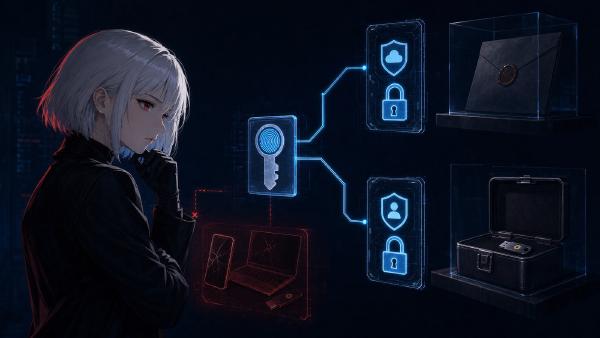
Browser password managers are not automatically unsafe. NIST SP 800-63B-4 directs conforming verifiers to allow password managers and autofill because they help people use stronger, distinct passwords. The reason to move is narrower: your threat model—what you need to protect, from whom, and which failure could lock you out—may call for a vault that is independent of one browser account, works across browsers, gives you a different recovery model, or lets you control the encrypted database.
Migration creates the sharper risk. On August 3, 2026, I reviewed the top 5 Google results, four readable competitor pages averaging 2,512 words, and official migration, authentication, and credential-exchange documentation from Chrome, Edge, Firefox, Bitwarden, KeePassXC, NIST, and FIDO. Google AI Mode already produced a complete-looking three-step answer: export a CSV, import it, compare the row count, delete the file. That answer misses the failure that matters.
I tested two synthetic 12-record vault exports with our password-redacting audit tool. Both files had 12 rows, yet only 11 records matched: one source credential was gone and another had been duplicated. The audit returned 91.7% coverage and HOLD without printing a URL, username, password, or secret-derived fingerprint. This guide turns that result into a seven-step migration protocol. Use fake data when learning the tools, keep the source vault intact during the changeover, and never upload a real password export to an online converter or AI assistant.
A Browser Password Manager Is Not the Real Problem#
A password manager is software that stores and fills account secrets. The meaningful choice is not “browser equals unsafe, dedicated app equals safe”; it is which trust, synchronization, recovery, and lockout risks fit the failures you actually face.
Browser managers place saved passwords behind documented device and account controls, whose exact recovery and local-access behavior differs by browser. A dedicated manager changes who operates sync, how recovery works, how many browsers and platforms share the vault, and whether you manage the encrypted file yourself. It does not make a compromised, unlocked computer harmless. Any manager must make a credential usable when you sign in.
Move for a named reason:
- Browser independence: you use several browsers or want changing browsers to stop being a credential migration.
- Recovery separation: you do not want the same Google, Microsoft, or Mozilla account to control both browsing data and password recovery.
- Local custody: you want the encrypted database file, backups, and sync choice under your control.
- Family or team workflows: you need managed sharing instead of copying passwords through chat or email.
- Auditability: you want a clearer inventory, health report, or migration export for a tested recovery plan.
Do not move merely because a headline says browser passwords sit in “plaintext RAM.” A usable password is necessarily decrypted somewhere on an unlocked computer or phone, and changing vault brands does not remove malware, screen capture, malicious extensions, or physical access from the risks you must plan for. The migration should reduce a specific dependency rather than promise immunity.
This is also why passkeys belong in a separate inventory. A passkey is a site-bound cryptographic credential, not another password row. Before changing managers, use the passkey recovery drill to record which passkeys are synced, device-bound, or recoverable through the website.
Bitwarden vs KeePassXC: Choose by Failure Mode#
Bitwarden favors automatic multi-device sync and official mobile clients. KeePassXC favors a local KDBX encrypted database file, but makes synchronization, backups, conflict handling, and recovery your responsibility.
Bitwarden imports browser data through its web, extension, desktop, mobile, or command-line clients. Its Chrome and Edge import guide says imported data is encrypted locally before it is sent to the server. That reduces server-side visibility, but your Bitwarden account, devices, master-password practice, second factor, and service availability remain part of the recovery chain.
On supported desktop installations, the same guide offers direct import from a compatible Chromium browser without asking you to create an export file. The official-download Windows and macOS apps and the Linux AppImage support it; app-store builds do not. On Windows, the documented bitwarden_chromium_import_helper.exe may trigger User Account Control (UAC, the operating-system approval prompt) or security-monitoring warnings. Verify the installer and signature first, start the import yourself, and cancel an unexpected prompt rather than trusting a process name alone.
KeePassXC stores credentials in an encrypted KDBX database and does not include its own cloud synchronization service. Its official documentation describes storing the file locally or placing it in a sync location you choose. This removes a mandatory vendor sync account, but it makes file conflicts, backups, off-device copies, and database-key recovery your job.
| Decision | Bitwarden | KeePassXC | Failure to plan for |
|---|---|---|---|
| Sync model | Managed encrypted sync | User-managed KDBX file and optional third-party sync | Service/account recovery vs file loss or sync conflict |
| Best fit | Several devices, mobile access, sharing, low maintenance | Desktop-first use, local control, custom backup design | Choosing convenience or custody without accepting its operations |
| Migration import | Browser-specific CSV import; direct paths on supported platforms | CSV wizard with column preview and mapping | Duplicate creation vs wrong column mapping |
| Recovery root | Account credentials, second factor, and recovery plan | Database file, master key, optional key file/hardware challenge, and backups | Keeping every recovery component on one device |
| Passkeys and time-based one-time passwords (TOTP) | Inventory support and plan limits separately; a browser CSV proves neither | Inventory support and site compatibility separately; a browser CSV proves neither | Assuming password rows prove non-password credential transfer |
| Operational burden | Provider operates sync infrastructure | You operate storage, sync, backups, and conflict handling | Treating “local” as “automatically backed up” |
I also downloaded the official KeePassXC 2.7.12 portable release dated March 10, 2026 before designing the audit. Its ZIP matched the publisher-listed SHA-256 86718f7f47d7ca7f287de0260c567644c846e2a3e51ad2f93a76605178be9850, and Windows Authenticode code-signature validation reported DroidMonkey Apps, LLC as a valid signer for the extracted KeePassXC.exe. That verifies the files I examined; it does not certify every mirror, future build, or configuration. The same 2.7.12 release notes warn that a passkey flag correction can make some existing passkeys unacceptable to a relying site. If passkeys are in scope, test them individually while the source login path remains available.
The decision is reversible before the changeover. Install the destination from its official source, create only a synthetic entry, practice locking and recovery, and confirm that your other devices behave as expected. Do not delete browser credentials to create a dramatic test.
What a Browser CSV Carries—and What It Cannot Prove#
A browser password CSV is an unencrypted transfer file. It can carry login fields, but by itself it cannot prove that passkeys, TOTP seeds, attachments, cards, identities, custom fields, history, or recovery material moved.
Google documents url, username, and password as the minimum Chrome CSV fields, then warns that anyone with the undeleted file can read the passwords. Those are password-row fields, not a guarantee about passkeys or another manager’s import behavior. Microsoft gives the same plaintext warning for Edge exports, and Mozilla says a Firefox export must not be uploaded, emailed, or shared.
The transport limits differ from the destination’s limits. Bitwarden’s own CSV schema can contain login_totp, but its custom-import documentation says CSV covers logins and secure notes; identities and cards require JSON, while attachments must be handled separately. KeePassXC warns that its CSV exports cannot represent attachments, advanced attributes, Auto-Type settings, or custom icons. A browser export cannot carry data that the browser never placed in the file.
| Layer to inventory | Password CSV can establish | What must be checked separately | Safe evidence |
|---|---|---|---|
| Password logins | URL, username, password, sometimes name/note | duplicates, blank values, changed URLs, source-specific fields | secret-redacting content comparison |
| Passkeys | Do not infer coverage from password rows | provider, website, synced/device-bound state, portability | provider and relying-party credential lists |
| TOTP seeds | Only if the source format exports them and the destination maps them | code generation after import, clock, recovery codes | non-destructive test on a low-risk account |
| Attachments / custom fields | Often absent or limited | count, type, and manual transfer | destination item inspection |
| Cards / identities / secure notes | Browser export may not contain them | product-specific JSON or direct transfer support | separate type-by-type count |
| Recovery material | Should not be assumed part of the vault | second factor, recovery code, emergency access, database backup | fresh-browser recovery check with source intact |
Credential Exchange Protocol (CXP) can remove the plaintext-file step when both products support it. Bitwarden’s current guide documents FIDO CXP paths on supported mobile platforms, including password and passkey transfer from compatible apps. That is a welcome improvement, not a universal instruction for desktop Chrome, Edge, Firefox, Bitwarden, and KeePassXC. Check both the source and destination apps and the platform you are actually using.
If CXP is available, use it and still perform a type-by-type inventory. “No CSV” removes one exposure window; it does not prove that every credential type or recovery path arrived.
The 12-to-12 Row-Count Trap#
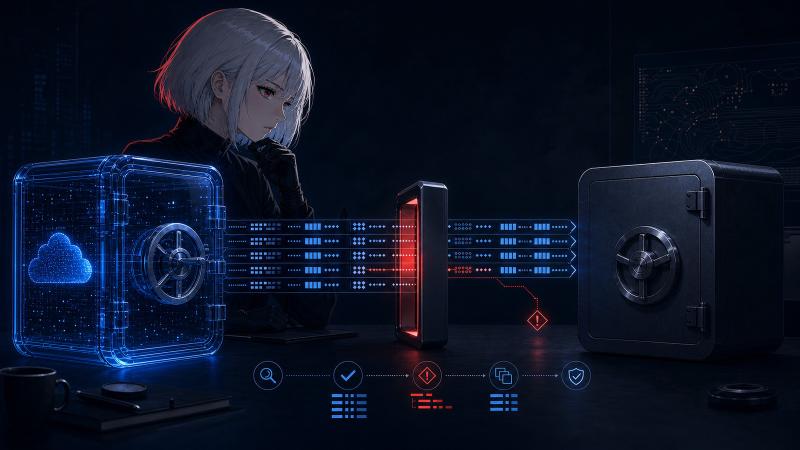
Equal row counts can hide unequal vaults. A destination with one missing credential and one duplicate still reports the same total as the source, so migration proof must compare content and credential types—not totals alone.
The bundled experiment uses only reserved domains and obviously fake passwords. The synthetic browser source contains 12 unique login records. The synthetic Bitwarden-shaped destination also contains 12 rows, but it deliberately omits the admin login and duplicates a different record.
I ran migration-audit.py against both files. The script normalizes supported browser, Bitwarden, and KeePassXC CSV headers, compares URL/username/password tuples as in-memory SHA-256 fingerprints, and does not write or emit those fingerprints. It does not provide secure-memory zeroization; process memory is reclaimed when the tool exits. The published audit result contains aggregate data only.
For this tool, PASS means only that the URL/username/password tuples match. It is not a certificate that notes, folders, custom fields, passkeys, TOTP, attachments, identities, cards, or recovery material moved.
| Audit check | Result | What a row-count-only check would say |
|---|---|---|
| Source rows | 12 | looks complete |
| Destination rows | 12 | looks complete |
| Exact credential matches | 11/12 (91.7%) | invisible |
| Missing source credentials | 1 | invisible |
| Unexpected destination credentials | 1 | invisible |
| Destination exact duplicates | 1 | invisible |
| Audit decision | HOLD | false PASS |
The test does not claim to reproduce every vendor importer. It demonstrates a logical failure in the verification method: equal totals are compatible with loss. Bitwarden makes the duplicate side especially relevant because its official import FAQ says every import creates new records even when matching items already exist.
Use the script locally only. A real CSV contains the keys to your accounts. Do not attach it to a support ticket, paste it into an AI chat, place it in this repository, or use a web-based “migration checker.” If you do not trust a comparison script with live secrets, compare small samples manually on the offline device and keep the source intact longer.
A Seven-Step Password Manager Migration#
A safe password manager migration is a controlled changeover: inventory credential types, prepare recovery, verify the destination, transfer once, compare contents, test ordinary use and recovery, then remove plaintext and retire the old manager.
- Inventory by type, not one grand total. Record password logins, passkeys, TOTP entries, secure notes, attachments, identities, cards, and recovery codes separately. Start with high-consequence accounts: primary email, password-manager account, mobile carrier, finance, domain registrar, and cloud storage. Use the same identity-separation logic as the social media self-audit.
- Identify what recovery ultimately depends on before choosing the product. For Bitwarden, document the account email, master password, working second factor, and two-step login recovery code. That code disables two-step login only; using it still requires the master password. Bitwarden’s forgotten-master-password guidance says its team cannot retrieve an individual vault when no preconfigured alternative remains, so test any documented alternative access before relying on it. For KeePassXC, document the KDBX location, master key, optional second component, at least one off-device backup, and conflict procedure. Do not keep every component on the laptop you carry.
- Verify the destination installer and practice with fake data. Download from the official domain or signed release, validate the checksum or signature the publisher provides, and create a synthetic vault. Confirm lock, unlock, browser integration, and backup restoration before real export.
- Choose the least-exposing documented transfer. Prefer a verified direct import or CXP when the source, destination, installer channel, credential type, and active platform all support it. Bitwarden’s supported desktop direct import avoids a manually exported browser CSV; it does not prove that passkeys or every other type moved. If a file is required, create it once on a trusted device in encrypted local storage that is not automatically synchronized. Close chat, cloud-drive, backup, indexing, and editor workflows that might copy it. Note the exact path. Never use real secrets in the Cora browser, an AI prompt, or an online converter.
- Transfer once and inspect the result. Select the exact source or direct-import path. In KeePassXC, review the CSV column preview and mapping before committing. In Bitwarden, direct and file imports do not check for duplicates. Stop on errors; do not repeatedly run the import to see whether it “takes.”
- Prove content and types. Compare credential contents without printing them, inspect every high-consequence account manually, and count passkeys/TOTP/attachments separately. Equal row counts are only one signal. The decision is
HOLDif any source credential is missing, any unexpected duplicate appears, or any non-password type lacks a documented transfer path. - Test, observe, then retire. Sign in to several low-risk accounts and every high-consequence account from a fresh browser profile. Exercise every repeatable recovery step without deleting the source. For a one-use code, confirm that both the stored copy and official procedure are accessible; call it functionally tested only if you deliberately use it and then save the regenerated or replacement code. Keep the old vault read-only through a short observation window. Only after success should you disable browser saving, remove the source records, and, if a file transfer was used, delete every plaintext copy you can identify.
The order protects availability. If an import is wrong, the source remains the rollback path. If recovery is wrong, the active sessions remain a repair path. If the CSV was copied into a synced folder, you detect that before treating one local delete as complete.
Do not change recovery phone numbers casually during the same migration. A number can still be an account-recovery dependency even when it is no longer used for daily login; map that relationship with the phone-number privacy model.
Delete the CSV Without Promising Impossible Erasure#
Deleting a plaintext CSV reduces exposure, but a delete command does not prove every physical, synced, indexed, backed-up, or preview copy is gone. The strongest control is to prevent extra copies before export and minimize the file’s lifetime.
Google, Microsoft, Mozilla, Bitwarden, and KeePassXC all warn that password exports are readable. Microsoft specifically recommends SHIFT+DELETE after Edge migration. That bypasses the Recycle Bin on Windows; it should not be described as a forensic guarantee on solid-state drives, cloud-sync histories, backups, or storage you do not control.
Use this cleanup checklist:
| Location | Check | Action |
|---|---|---|
| Chosen export path | exact filename and modified time | delete after audit and successful recovery test |
| Downloads / Desktop / Documents | accidental second export | remove only confirmed copies |
| Cloud-sync folder and version history | whether the path was synchronized | remove remote versions using that provider’s documented controls |
| Recycle Bin / Trash | whether normal delete was used | empty the confirmed item; do not assume this erases storage media |
| Editors, spreadsheets, previews | recent-file list, autosave, temporary copy | close before export; clear confirmed temporary artifacts |
| Backups and snapshots | whether the file existed during a backup window | follow retention policy; rotate exposed passwords if deletion cannot be established |
If a real CSV may have reached email, chat, an AI service, a public repository, or an untrusted converter, treat the passwords as disclosed. Preserve evidence, change high-consequence credentials first, revoke sessions where appropriate, and work down the inventory. The destination vault cannot make an already copied secret private again. Our AI assistant privacy audit explains why a chat box is a record, not a secure transfer channel.
Bottom Line: Which Migration Path Is Right for You?#
Choose Bitwarden when managed sync and lower daily maintenance outweigh service-account dependence. Choose KeePassXC when local custody outweighs the work of operating backups and sync. Both require content and recovery checks.
| Your priority | Better starting point | Required safeguard |
|---|---|---|
| Automatic multi-device use | Bitwarden | master-password plan, separate 2FA recovery code, and tested access |
| Local encrypted database | KeePassXC | off-device KDBX backup and tested restore |
| Lowest migration exposure | Documented direct import or CXP | verify source, destination, installer channel, platform, and credential-type scope |
| Browser-only simplicity | Keep the browser manager | strong device/account security and tested recovery; migration is not mandatory |
| High-risk or complex vault | Staged migration | small batch, manual high-value review, longer read-only rollback window |
The defensible move is not “export and hope.” It is: know what exists, know what the file cannot represent, import once, compare contents without disclosing them, test recovery, and then retire the old path. The product choice matters. The changeover method matters more.
Frequently Asked Questions#
These answers cover the migration boundaries readers most often miss: product choice, row-count verification, passkey coverage, plaintext cleanup, and the limits of deleting a CSV from modern storage.
Is Bitwarden safer than Chrome Password Manager?#
Not categorically. Bitwarden changes the trust and recovery model by separating the vault from the browser ecosystem and supporting several clients and sharing workflows. Chrome may be simpler for one Google-centered user. Compare risk on unlocked devices, account recovery, sync dependence, and the cost of a failed migration rather than treating the product name as a security score.
Is KeePassXC safer than Bitwarden because it is offline?#
KeePassXC removes a mandatory cloud-sync account, but its local-file model also makes you responsible for the KDBX file, backups, synchronization, conflicts, and recovery. A single local copy is not sovereignty; it is a single point of failure. Bitwarden’s managed sync has a different risk, not automatically a greater one.
Can I delete the CSV as soon as the import count matches?#
No. Equal counts can hide one missing item plus one duplicate. Compare credential contents, inspect high-consequence accounts, count passkeys and TOTP separately, and test ordinary login and recovery before deleting the transfer file or source vault.
Will Chrome’s password CSV include my passkeys?#
Do not use the password-row count as proof. Google’s documented CSV minimum is URL, username, and password, while passkeys have their own provider and portability rules. Inventory passkeys separately and use CXP only when both the source and destination explicitly support the transfer on your platform.
Should I securely overwrite a password CSV on an SSD?#
Do not promise that one overwrite or delete command erases every SSD, sync, backup, or preview copy. Prevent copies by using controlled encrypted local storage, keep the file for the shortest practical time, delete confirmed instances, inspect sync history, and rotate credentials if exposure cannot be ruled out.
References#
These twelve primary and official sources support the migration claims as of August 3, 2026. Archive update, September 9: the Edge entry now includes the March 16 capture of its former official URL. The other eleven archive entries retain their August 3 verification date.